Email & Inbox

Recognize Phishing at Work

Jan 7, 2026

Recognize Phishing Attacks: Types, Examples & Defense

Discover the main phishing types employees face: email, spear phishing, whaling, smishing, and vishing. Learn recognition techniques and protective actions.

This guide will show you how to spot phishing attempts before they cause damage. You'll learn a simple four-step method that works across every channel, understand the mind games attackers play, and build habits that protect both your work and personal life.

Understanding the Basics

Phishing is any fraudulent message designed to trick you into revealing information, downloading malware, or sending money. The term covers several attack types.

Phishing usually means email-based attacks. These messages pretend to come from banks, coworkers, or trusted services.

Smishing combines "SMS" and "phishing." These are text messages claiming you owe money, missed a delivery, or need to verify your account.

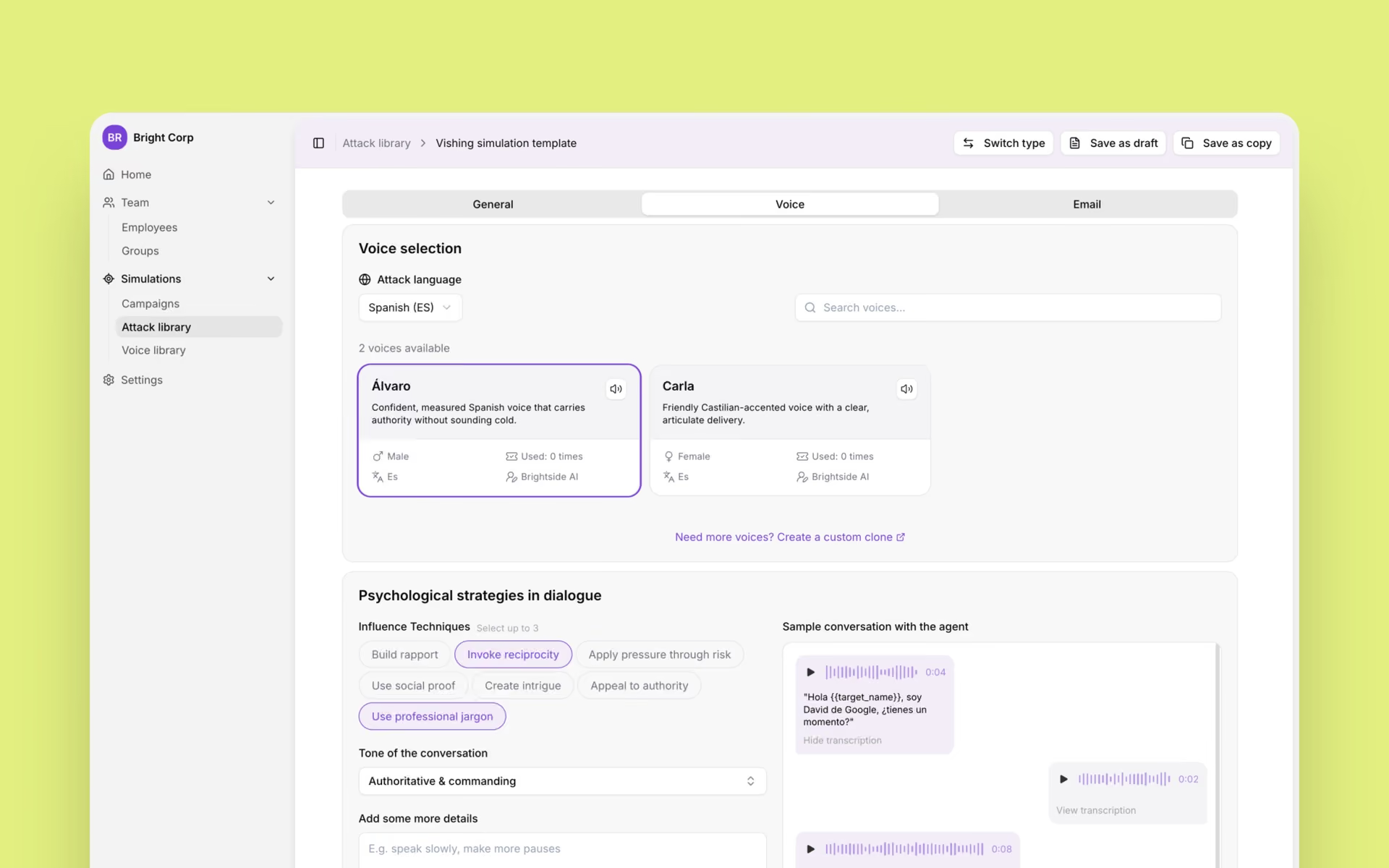
Vishing is voice phishing. Scammers call pretending to be IT support, your bank, or even your boss.

Quishing is the newest term. Attackers hide malicious links inside QR codes that appear in emails or on physical stickers.

Business Email Compromise (BEC) targets companies specifically. Criminals impersonate executives, vendors, or HR departments to redirect payments or steal data.

Spear phishing means highly targeted attacks. The message references real projects, colleagues, or details from your social media to seem legitimate.

Why should you care? Because phishing works. Victims click malicious links in an average of 21 seconds. They enter their credentials 28 seconds later. Your entire account can be compromised in under a minute.

Five Trends Making Phishing More Dangerous

Artificial Intelligence Creates Perfect Messages

About 73.8% of phishing emails analyzed in 2024 contained AI-generated content (in 2026 this number grew exponentially). These messages achieve a 54% click-through rate compared to just 12% for traditionally written phishing emails.

What changed? Attackers no longer write broken English or make obvious mistakes. AI generates proper grammar, matches your company's writing style, and even adjusts for cultural context. An AI-crafted message from your "CFO" using your company's exact email signature is much harder.

You can't rely on grammar checks anymore. Context matters more than ever. Does this request match normal procedures? Would your boss really ask you to handle a wire transfer this way?

Your Phone Became the Primary Target

Vishing attacks increased by 442% between the first and second half of 2024. Smishing bypasses corporate email filters entirely because it reaches your personal phone.

Attackers now use hybrid approaches. You receive an email about a subscription renewal, but the message tells you to call a phone number. That number connects to a fake call center where "customer service" asks for your payment details.

Text messages about unpaid tolls, held packages, or suspended accounts flood phones daily. These work because we check texts quickly, often while distracted. The small screens hide suspicious details we'd notice on a computer.

QR Codes Hide Malicious Links

Nearly 1 million phishing attacks per quarter now incorporate QR codes. You find them in emails ("scan to hear your voicemail"), on restaurant tables, in parking lots, and stuck over legitimate codes on posters or payment terminals.

The danger is simple. Scanning takes you to a fake login page, but your phone's tiny address bar makes the fraudulent URL hard to spot. Email security systems can't scan where the QR code leads, so these attacks slip past corporate defenses.

Internal Email Accounts Get Compromised

Business Email Compromise cost $2.77 billion in 2024. These attacks feel different because they come from real email addresses you recognize.

An attacker compromises one employee's account. They study that person's emails, understand the company structure, and then send messages to coworkers from the real internal email address. The subject line says "Urgent: Client Payment Change" or "Updated W-9 for Vendor." You trust it because it came from inside your organization.

CFO fraud is another common pattern. Someone impersonating your finance executive sends urgent wire transfer requests. The pressure to act fast, combined with apparent authority, makes people comply before verifying.

Personal Attacks Create Work Problems

Criminals don't separate your work and home life. They know that:

  • You check work email on your personal phone

  • You might reuse passwords across accounts

  • Malware on your home computer can access saved work credentials

  • Your social media reveals details about projects, travel, and colleagues

A fake delivery notification on your personal phone can install malware that later captures your work passwords. A romance scam or investment fraud might install remote access tools on your laptop—the same laptop you use for company VPN access.

The same recognition skills protect you everywhere. Phishing at work looks like phishing at home, just with different branding.

How Phishing Hijacks Your Brain

Attackers succeed because they exploit predictable human responses. Understanding these triggers helps you resist them.

Urgency and time pressure shut down critical thinking. "Your account closes in one hour" or "Immediate action required" force rushed decisions. Legitimate organizations rarely demand instant responses, especially for financial or security matters.

Authority makes us comply without questioning. Messages appear to come from executives, IT departments, banks, or government agencies. We're trained from childhood to follow authority figures. Phishing exploits that conditioning.

Fear and threats override logic. Account suspension, legal action, job loss, penalty fees—these threats activate your fight-or-flight response. You want to fix the problem immediately. That's exactly when you should slow down.

Greed and reward seem less dangerous, but they work just as well. Unexpected tax refunds, lottery winnings, bonuses, or "exclusive" investment opportunities bypass skepticism because we want them to be true.

Curiosity demands closure. "Confidential complaint about you" or "Someone shared photos" makes your brain itch. You need to know what it is. Attackers count on that itch overwhelming your caution.

Helpfulness and routine might be the most insidious. Phishing disguised as normal work tasks—approving invoices, updating contact information, sharing documents—exploits your desire to be efficient and cooperative. You're just doing your job, right?

Research shows that phishing is an attention problem rather than a knowledge problem. You know you shouldn't click suspicious links. But in a distracted moment, rushing between meetings or scrolling your phone before bed, these psychological triggers win.

The S-T-O-P Method for Spotting Phishing

This four-step check takes about 30 seconds. Use it before clicking any link, opening any attachment, or responding to any request.

S = Sender: Who Is This Really From?

Look at the display name, then look at the actual email address. These often don't match.

The display name says "Payroll Department" but the email address is payroll-help@outlook.com. Your payroll department doesn't use a free Outlook account.

Watch for lookalike domains. Attackers register domains like micros0ft.com (zero instead of O), paypa1.com (number 1 instead of lowercase L), or company-services.com when your real company is companyservices.com.

Question any official business conducted through free email providers like Gmail, Yahoo, or Outlook for work matters. Your bank, tax authority, and employer all have their own domains.

Check if the sender makes sense for the request. Why is someone from marketing asking about payroll? Why is a "vendor" you've never heard of sending an invoice?

T = Text and Tone: Does This Sound Right?

Trust your instincts about how something sounds. Generic greetings like "Dear Customer" when the sender should know your name signal trouble. So does overly formal language from someone who normally writes casually, or casual language from an organization that's always formal.

Odd phrasing might not mean broken English anymore. AI writes perfectly. But the tone might feel off. Your boss doesn't usually send one-line demands. Your bank doesn't use casual emojis. The IRS doesn't threaten you via text message.

Look at branding and formatting. Logos with wrong colors, outdated designs, or inconsistent spacing often indicate fake messages. Legitimate companies maintain strict brand standards.

If you think "This doesn't sound like them," you're probably right.

O = Offers and Threats: Are You Being Pushed?

Extreme urgency should raise immediate suspicion. Real organizations don't typically require action in one hour. They don't send final notices without previous communication. They don't threaten account closure for problems you didn't know existed.

Requests to bypass normal procedures are red flags. "The approval system is down, so just handle this manually" or "Don't tell anyone, but we need this done today" or "Can't use the regular process this time—too urgent" all indicate scams.

Financial requests that seem unusual deserve extra scrutiny. Changing vendor bank details, issuing refunds, buying gift cards for clients, sharing customer data, or approving wire transfers all require verification through separate channels.

Ask yourself: Does this match normal workflow? Would this person really ask me this way? Why the rush?

P = Path: Where Does It Want You to Go?

Hover over links on a computer to preview the real URL. The visible text might say "www.yourbank.com" while the actual link points to "www.yourbank-security.scam.com."

Unexpected attachments, especially Office documents or zip files, need careful consideration. "Invoice.pdf.exe" is never legitimate. "Urgent_HR_Document.zip" from an unknown sender is almost certainly malicious.

Links that lead to login pages should trigger automatic caution. Did you navigate there yourself, or did you click an email link? Type the known website address directly instead.

QR codes that immediately request credentials or payment information are suspicious. Legitimate QR codes typically take you to informational pages or prompt you to open an official app.

If any element of the S-T-O-P check fails, don't click, don't open, don't scan. Verify through official channels first.

Recognizing Phishing Across Every Channel

Email Phishing Remains Most Common

Email phishing still accounts for the majority of attacks because it works. Modern email phishing features sender domain anomalies where the "Reply-to" address differs from the "From" address. This lets attackers send from a semi-legitimate source while harvesting your replies elsewhere.

Suspicious links hide behind innocent-looking text. Always preview before clicking. Unexpected attachments, especially those asking you to "enable macros" or "allow content," should be deleted immediately unless you can verify them through a separate communication channel.

Work examples include fake invoices with new vendor bank details. You receive what looks like a regular invoice from a supplier, but the payment information has "changed." Always verify these through a known phone number, never using contact details from the suspicious email itself.

"IT Security" password reset messages from external sites are another common attack. Real IT departments use internal systems and never send you to third-party websites for security updates.

Personal examples mirror work patterns. "Delivery failed" messages appear when you're not expecting packages. "Unusual login detected" emails arrive with convenient links to "secure your account"—except the link leads to a fake login page. Receipts from services you don't use might seem ignorable, but they often contain malware in attachments.

Safe actions are straightforward:

  • Type known URLs directly or use saved bookmarks rather than clicking email links.

  • Verify unusual requests through official channels using contact information you already trust, not information from the suspicious message.

  • Report questionable emails to your security team before deleting them.

SMS and Messaging App Attacks

Smishing targets your personal phone to reach your work accounts. Unknown numbers or short codes send messages with URL shorteners that hide the real destination. Urgent messages about parcels, fines, or account problems create the pressure to click without thinking.

Common scenarios include "Your parcel is held—pay customs fee here" with a link to a fake payment site. "Unpaid toll/parking fine—pay within 24 hours" messages spike in every city. Fake bank security alerts claim suspicious activity and direct you to verify through a link. "You have a new voicemail" messages from unknown numbers lead to credential-harvesting sites.

Safety Precautions:

  • Never share one-time passwords, regular passwords, or card details via SMS reply.

  • Open official apps directly rather than following message links.

  • When you doubt a message's authenticity, contact the organization through their official website or app, not through the message itself.

  • Screenshot suspicious messages and report them to your mobile carrier. Most providers have fraud reporting services that help shut down these campaigns.

Phone Call Phishing

Vishing surged because people still trust phone calls more than emails. Unsolicited calls from "IT support," "bank security," "tax office," or "police" should receive immediate skepticism.

Caller ID spoofing makes these calls appear legitimate. The displayed number might actually belong to your bank or company. Attackers can fake this easily. Don't trust caller ID alone.

Common scripts follow predictable patterns. "We detected suspicious activity—verify these transactions" starts with fear, then asks you to confirm details that actually reveal your information.

What To Do And What Not To Do:

  • Say you'll call back using the official number from the company website or your card, then end the call.

  • Don't use redial or numbers the caller provides.

  • Never share passwords, verification codes, or approval codes over the phone.

  • Verify internal requests through company chat or your employee directory using contact information you already have.

Legitimate organizations understand security caution. They won't pressure you to stay on the line or insist you must act immediately. If someone gets angry when you want to verify, that confirms it's a scam.

QR Code Phishing

Quishing exploits the gap between devices. You scan a code on your computer screen or a physical object with your phone, taking you outside your corporate security protections.

QR codes appearing in unexpected emails—"scan to hear your voicemail" or "scan to complete MFA setup"—should be treated as phishing until proven otherwise. Physical stickers placed over existing codes in parking lots, on menus, or over legitimate posters redirect payments or steal credentials.

Codes leading directly to login or payment pages need extra scrutiny. Legitimate QR codes typically open informational pages or prompt you to use an official app. Immediate requests for credentials or payment information indicate fraud.

Safety Actions:

  • Check URLs carefully after scanning, before entering any information.

  • Use official apps and bookmarks for banking or work systems instead of scanning random QR codes for these sensitive services.

  • Report suspicious QR codes on physical property to building security or local authorities. When you're unsure, manually type the web address rather than scanning.

Develop Your Defense Habits

Phishing attacks continue because they're profitable. Nearly 1 million attacks happen globally each quarter. Technology catches most of them, but sophisticated attacks still penetrate email filters, bypass SMS screening, and fool authentication systems.

Most phishing attacks use the same psychological triggers. The S-T-O-P method works across all channels. Email, text, voice, or QR code—the same recognition principles apply. With practice, spotting phishing becomes second nature, like checking for traffic before crossing a street.

About Brightside

Brightside is a digital privacy platform that shows you exactly what information about you is exposed online and helps you secure it.

What Brightside Does

Digital Footprint Scanning
The app scans your complete digital presence across six categories: personal information (email addresses, phone numbers, home addresses), data leaks (compromised passwords, dark web presence, exposed credentials), online services (LinkedIn, Spotify, dating sites), personal interests (forums, hobbies), social connections, and location data.

Data Leak Detection
Brightside identifies compromised passwords, exposed credentials, and whether your information appears on the dark web or in identity document leaks.

Data Broker Removal
The platform identifies which data brokers hold your information and automates removal requests to reduce spam and unwanted exposure.

Personal Safety Score
You get a dynamic risk assessment based on your exposed data points and their relevance to your specific concerns, whether that's identity theft, financial security, or stalking prevention.

Brighty Privacy Companion
When you find exposed data, click on it to launch an interactive chat with Brighty, your privacy companion. Brighty provides step-by-step instructions for securing each issue, explains why it matters in plain language, and offers specific privacy tips like configuring LinkedIn settings or using email aliases.

How It Works

Choose what you want to protect (finances, identity, online visibility, account access) and Brightside tailors its recommendations to those specific goals. Instead of generic advice, you get personalized action plans that match your actual exposure and priorities.

Try Brightside AI