Brightside Report Phishing: a one-click reporting add-on
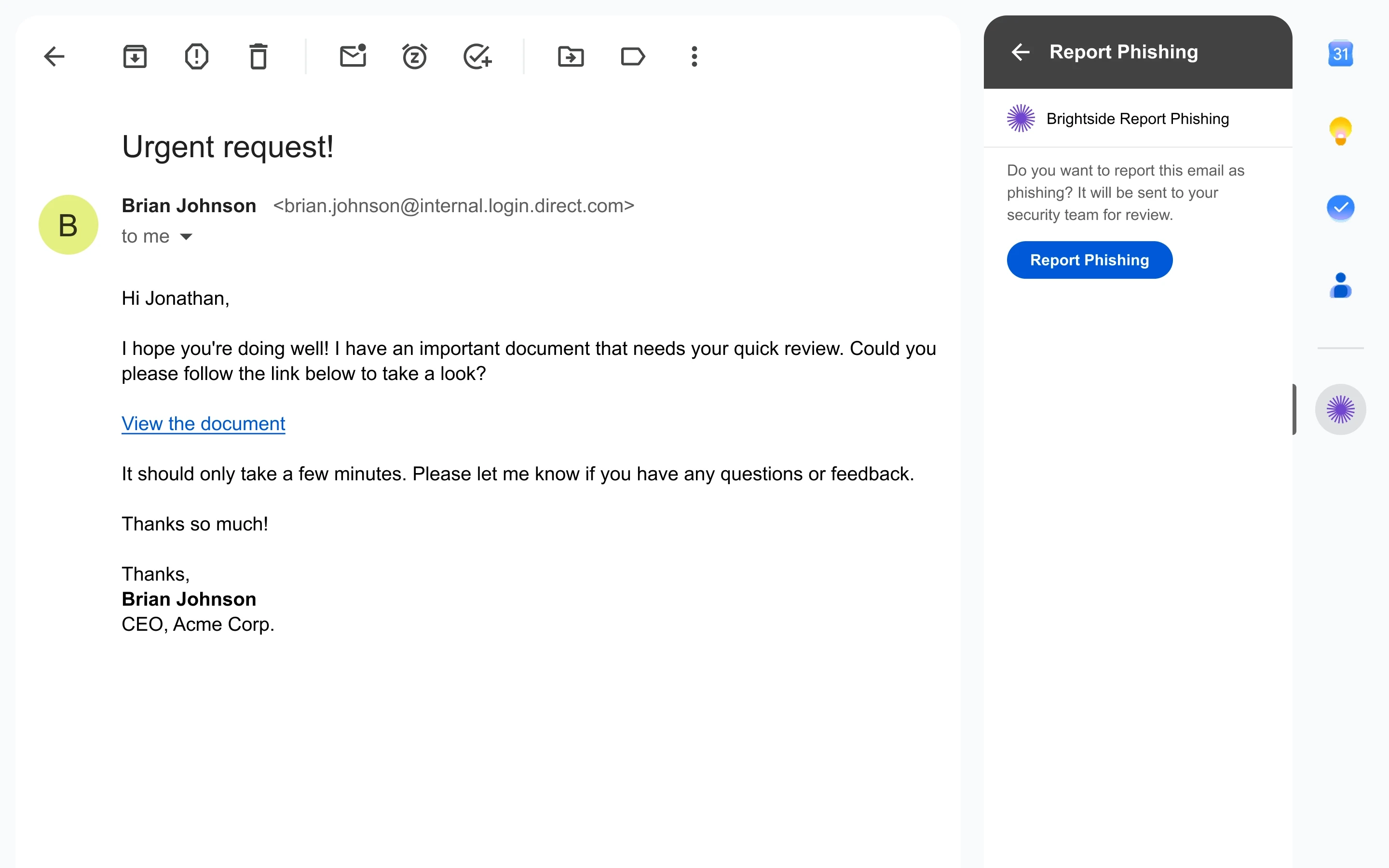
Report suspicious email straight from Gmail. One click hands it to your security team, headers and all, no forwarding, no attaching.
Teams loved our cybersecurity solution:





...and more.
Brightside Report Phishing: a one-click reporting add-on
Report suspicious email straight from Gmail. One click hands it to your security team, headers and all, no forwarding, no attaching.
Teams loved our cybersecurity solution:
...and more.
Brightside Report Phishing: a one-click reporting add-on
Report suspicious email straight from Gmail. One click hands it to your security team, headers and all, no forwarding, no attaching.
Teams loved our cybersecurity solution:
...and more.
From spotting to stopping
The fastest path from inbox to investigation
One-click reporting
NIST Phish Scale compliant
Employees report a suspicious email with a single click in Gmail. No forwarding, attaching, or explaining.
Triaged in seconds
Flexible awareness training
Real attacks reach security in seconds, as the original email, full headers and all, ready to investigate.
Closes the training loop
Personal privacy companion
Reports from live simulations count as catches, so "reported" sits right next to "clicked" in your stats.
Least-privilege access
Make exposure actionable
The add-on only sees the email an employee chooses to report. It can't read, send, or change anything else. Read our Privacy Policy.
One click, from inbox to investigation
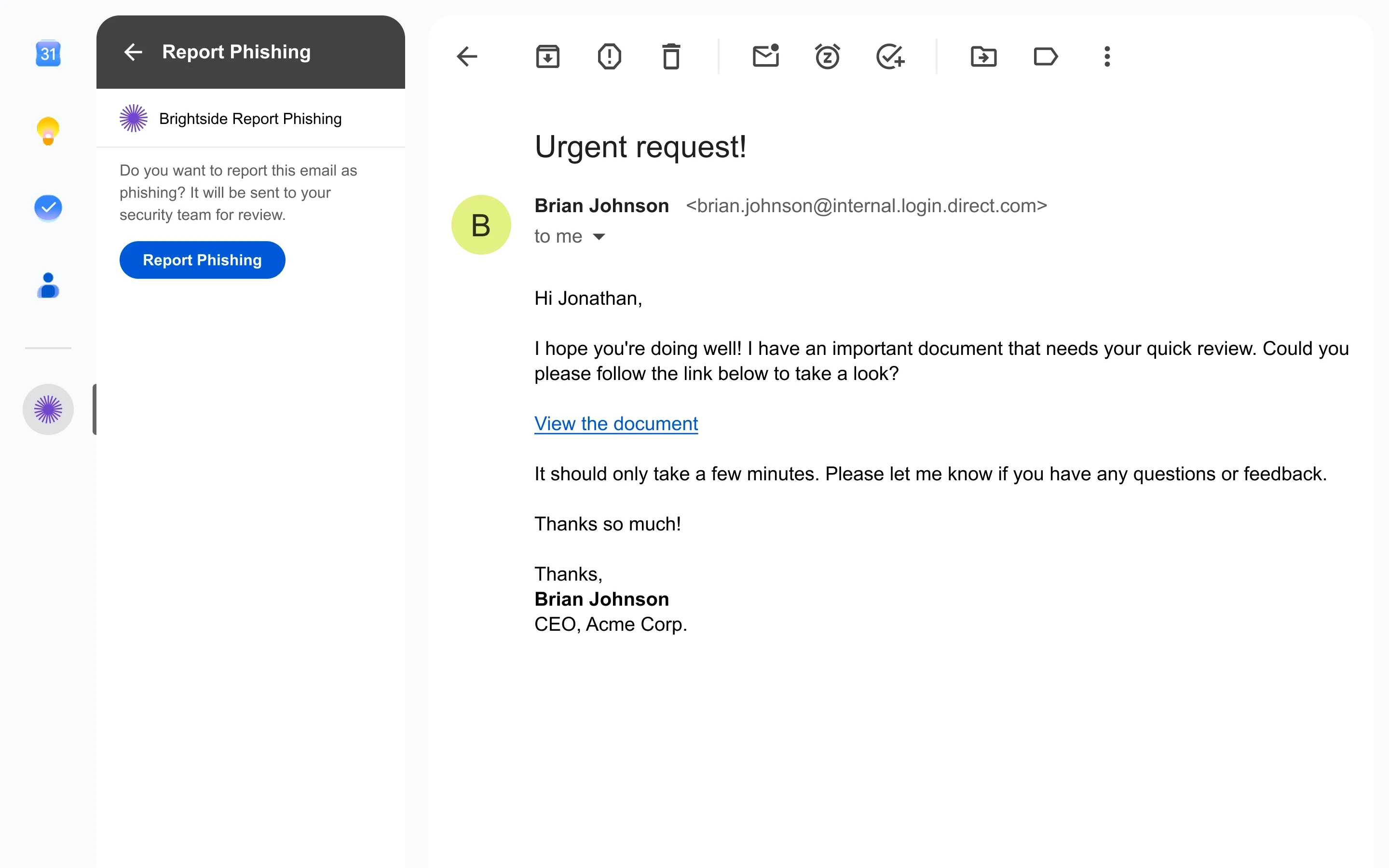
An employee opens a suspicious email and sees the Brightside icon in the Gmail side panel. One click sends that single email to Brightside over an encrypted channel, where it's scanned for malware and classified.

One click, from inbox to investigation
An employee opens a suspicious email and sees the Brightside icon in the Gmail side panel. One click sends that single email to Brightside over an encrypted channel, where it's scanned for malware and classified.
One click, from inbox to investigation
An employee opens a suspicious email and sees the Brightside icon in the Gmail side panel. One click sends that single email to Brightside over an encrypted channel, where it's scanned for malware and classified.
Streamlined operations
Powerful tools for security teams
Enterprise integrations
Complete curriculum
Adaptive security
Seamless stack connectors
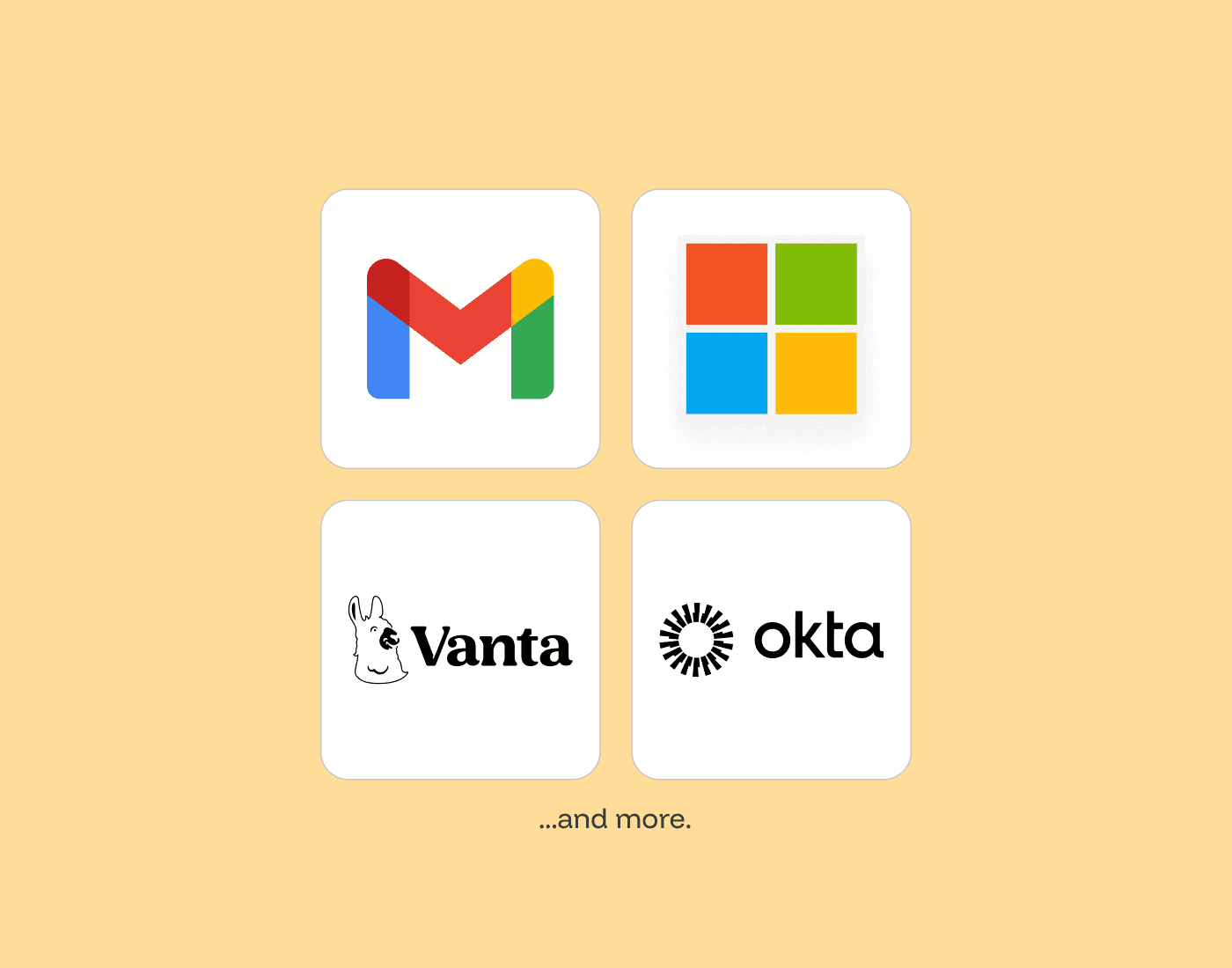
Pre-built integrations with Google Workspace, Microsoft 365, Okta, and Vanta enable rapid deployment and automated user provisioning. Custom HR system connectors are available on demand, and 36+ integrations are coming soon.
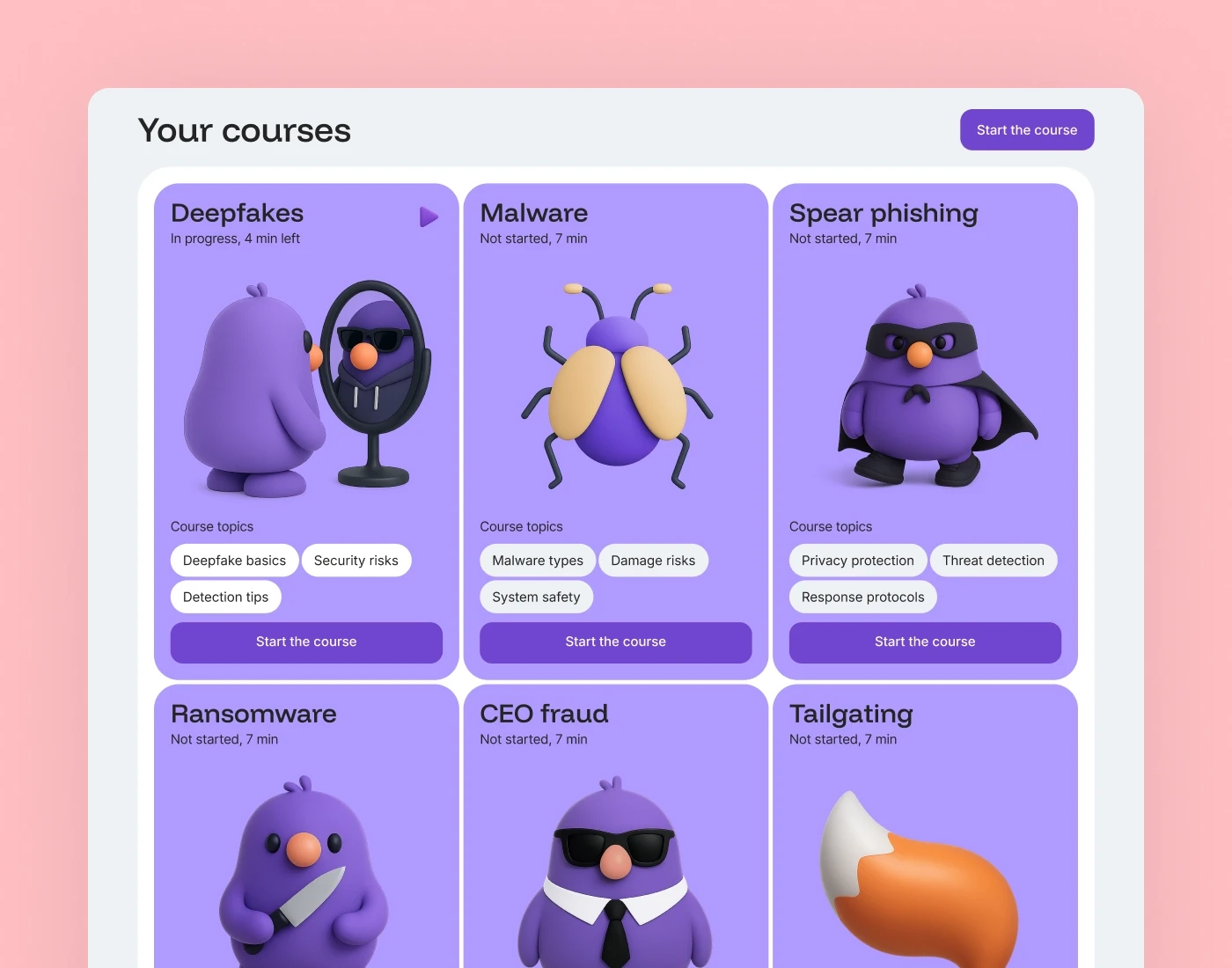
Modern threat education
Access a regularly updated library covering emerging threats like voice deepfakes, BEC, and advanced social engineering. Training assignments automatically trigger based on simulation performance.
A platform that adapts
Every layer of Brightside adjusts to context. AI voice agents respond to employee objections in real time during vishing calls. Spear phishing simulations match each recipient's role and tools. Automation handles campaign setup so your team stays focused on outcomes.

Streamlined operations
Powerful tools for security teams
Enterprise integrations
Seamless stack connectors
Pre-built integrations with Google Workspace, Microsoft 365, Okta, and Vanta enable rapid deployment and automated user provisioning. Custom HR system connectors are available on demand, and 36+ integrations are coming soon.
Modern threat education
Access a regularly updated library covering emerging threats like voice deepfakes, BEC, and advanced social engineering. Training assignments automatically trigger based on simulation performance.
A platform that adapts
Every layer of Brightside adjusts to context. AI voice agents respond to employee objections in real time during vishing calls. Spear phishing simulations match each recipient's role and tools. Automation handles campaign setup so your team stays focused on outcomes.
Streamlined operations
Powerful tools for security teams
Enterprise integrations
Complete curriculum
Adaptive security
Seamless stack connectors
Pre-built integrations with Google Workspace, Microsoft 365, Okta, and Vanta enable rapid deployment and automated user provisioning. Custom HR system connectors are available on demand, and 36+ integrations are coming soon.
Modern threat education
Access a regularly updated library covering emerging threats like voice deepfakes, BEC, and advanced social engineering. Training assignments automatically trigger based on simulation performance.
A platform that adapts
Every layer of Brightside adjusts to context. AI voice agents respond to employee objections in real time during vishing calls. Spear phishing simulations match each recipient's role and tools. Automation handles campaign setup so your team stays focused on outcomes.
Streamlined operations
Powerful tools for security teams
Enterprise integrations
Seamless stack connectors
Pre-built integrations with Google Workspace, Microsoft 365, Okta, and Vanta enable rapid deployment and automated user provisioning. Custom HR system connectors are available on demand, and 36+ integrations are coming soon.
Modern threat education
Access a regularly updated library covering emerging threats like voice deepfakes, BEC, and advanced social engineering. Training assignments automatically trigger based on simulation performance.
A platform that adapts
Every layer of Brightside adjusts to context. AI voice agents respond to employee objections in real time during vishing calls. Spear phishing simulations match each recipient's role and tools. Automation handles campaign setup so your team stays focused on outcomes.
Scalable plans
Plans for every organization size
Start free and scale with flexible pricing. Combine multiple plans and add seats as you grow—unlocking advanced AI phishing and footprint features when you need them.
Start
Free
Plan features:
Courses.
Basic
from €0.5/
m. per seat
Plan features:
Courses.
Template simulations.
Pro
from €1.3/
m. per seat
Plan features:
Courses.
Template simulations.
AI OSINT spear-phishing simulations.
AI-powered vishing simulations.
Vishing (standalone)
from €1/
m. per seat
Features:
Voice-only and hybrid attack simulations (voice + email).
Multilingual voice library with custom voice cloning.
Granular scenario builder for custom tactics, urgency levels, and caller personas.
AI-assisted scenario creation.
Detailed analytics tracking with one-click CSV export.
Scalable plans
Plans for every organization size
Start free and scale with flexible pricing. Combine multiple plans and add seats as you grow—unlocking advanced AI phishing and footprint features when you need them.
Start
Free
Plan features:
Courses.
Basic
from €0.5/
m. per seat
Plan features:
Courses.
Template simulations.
Pro
from €1.3/
m. per seat
Plan features:
Courses.
Template simulations.
AI OSINT spear-phishing simulations.
AI-powered vishing simulations.
Vishing (standalone)
from €1/
m. per seat
Features:
Voice-only and hybrid attack simulations (voice + email).
Multilingual voice library with custom voice cloning.
Granular scenario builder for custom tactics, urgency levels, and caller personas.
AI-assisted scenario creation.
Detailed analytics tracking with one-click CSV export.
FAQ
Still have questions? Get in touch with our support.
What is Brightside Report Phishing?
It's a Brightside add-on for Gmail. When an employee opens a suspicious email, they see the Brightside icon in the Gmail side panel and report the message to your security team with a single click. No forwarding, attaching, or explaining.
How do employees get the button?
Your Google Workspace administrator installs it once from the Google Workspace Marketplace for the whole domain or a specific department. Employees then see the button automatically in Gmail on the web and in the Android app, with nothing to install themselves.
What happens after someone clicks Report?
The add-on sends that one open email to Brightside over an encrypted channel. The platform scans it for malware and checks whether it was a Brightside training simulation or a real attack, then routes it accordingly.
What does my security team receive?
For real attacks, your team gets the original email in full, with all headers intact, plus the technical details needed to investigate. Reported simulations don't go to security; instead the employee is credited with a catch in their training stats.
What can the add-on access in my mailbox?
Only the single email an employee chooses to report, and only at the moment they click. It can't read other emails, send email, or change anything in the inbox. It requests the most restrictive access rights available to Gmail add-ons.
FAQ
Still have questions? Get in touch with our support.
What is Brightside Report Phishing?
It's a Brightside add-on for Gmail. When an employee opens a suspicious email, they see the Brightside icon in the Gmail side panel and report the message to your security team with a single click. No forwarding, attaching, or explaining.
How do employees get the button?
Your Google Workspace administrator installs it once from the Google Workspace Marketplace for the whole domain or a specific department. Employees then see the button automatically in Gmail on the web and in the Android app, with nothing to install themselves.
What happens after someone clicks Report?
The add-on sends that one open email to Brightside over an encrypted channel. The platform scans it for malware and checks whether it was a Brightside training simulation or a real attack, then routes it accordingly.
What does my security team receive?
For real attacks, your team gets the original email in full, with all headers intact, plus the technical details needed to investigate. Reported simulations don't go to security; instead the employee is credited with a catch in their training stats.
What can the add-on access in my mailbox?
Only the single email an employee chooses to report, and only at the moment they click. It can't read other emails, send email, or change anything in the inbox. It requests the most restrictive access rights available to Gmail add-ons.
FAQ
Still have questions? Get in touch with our support.
What is Brightside Report Phishing?
It's a Brightside add-on for Gmail. When an employee opens a suspicious email, they see the Brightside icon in the Gmail side panel and report the message to your security team with a single click. No forwarding, attaching, or explaining.
How do employees get the button?
Your Google Workspace administrator installs it once from the Google Workspace Marketplace for the whole domain or a specific department. Employees then see the button automatically in Gmail on the web and in the Android app, with nothing to install themselves.
What happens after someone clicks Report?
The add-on sends that one open email to Brightside over an encrypted channel. The platform scans it for malware and checks whether it was a Brightside training simulation or a real attack, then routes it accordingly.
What does my security team receive?
For real attacks, your team gets the original email in full, with all headers intact, plus the technical details needed to investigate. Reported simulations don't go to security; instead the employee is credited with a catch in their training stats.
What can the add-on access in my mailbox?
Only the single email an employee chooses to report, and only at the moment they click. It can't read other emails, send email, or change anything in the inbox. It requests the most restrictive access rights available to Gmail add-ons.