How Brightside Automates Phishing and Vishing Simulations Without Taking Away Control
Learn how Brightside combines AI automation with full admin control to create realistic, repeatable vishing simulations for security training.
Update, September 2026: this walkthrough documents the April 2026 version of the builder, including features and labels that have since changed. For the current campaign path, the Voice / Voice + BEC / BEC template builder, and test launch, see What’s new in the Brightside vishing simulator.
Anyone who has spent serious time working with AI tools knows the frustration. You write a prompt, something comes out, and half the time it’s not what you had in mind. Ask an image generator for a specific scene and you get something plausible but slightly wrong, and then you spend the next hour re-rolling, tweaking the prompt, re-rolling again. Video generation is even harder to pin down. You describe exactly what you want, and the result looks like the AI read every third word. The core issue isn’t that the technology is bad. It’s that a text prompt is often a poor way to specify a precise end result, and most of the time you have no real control over what comes out the other side. You put something in, something comes out, and the connection between the two is not always clear.
For low-stakes tasks, that’s an inconvenience. If an AI tool generates a mediocre social media caption, you edit it or throw it out and try again. No harm done. But security simulations are a different situation entirely. If a vishing simulation behaves in an unpredictable way during a live call with an employee, the training value evaporates. If an admin can’t repeat a simulation or explain exactly how it was configured, they can’t build a coherent security training program on top of it. Unpredictability isn’t just annoying here, it’s a liability.
That’s the problem we at Brightside tired to solve. Not by avoiding AI, but by building it into the simulation creation process in a way that keeps admins in control at every step.
A Different Philosophy: Structured Automation
The easiest thing to build would have been a single “generate simulation” button. Write a sentence or two, hit generate, let the AI figure out the rest. Plenty of tools work this way. The problem is that when something goes wrong, and eventually something always does, you have no idea why, and no obvious way to fix it. You just generate again and hope.
Brightside took a different approach. Instead of handing the entire process over to AI and hoping for the best, the simulation builder breaks everything down into discrete, structured steps. At each step, AI can offer a suggestion or fill in a value automatically. But the admin always sees exactly what was generated, can edit it freely, or skip the automation entirely and do things manually.
This produces something that feels rare in AI-powered tools: predictability. Because every parameter is visible and editable, the output of the simulation is a direct reflection of the choices made during setup. Nothing happens that the admin didn’t either specify or consciously approve.
To make this concrete, here’s how it actually works when you build a vishing simulation in Brightside from scratch.
Step 1: Define the Attack Goal
Every simulation starts with a goal. This isn’t just an organizational nicety. The attack goal is the core instruction set that the AI agent uses throughout the entire phone call. It determines what the agent is trying to extract, how it frames the conversation, and what a successful outcome looks like. If the goal is vague, the agent’s behavior becomes unpredictable. If the goal is specific, the agent behaves predictably and consistently.
Admins have two ways to define the goal. The first is to write it manually, with enough detail to give the AI agent clear direction: what information you’re trying to obtain, who the caller is posing as, and what specific data points are in scope. Something like: “Pose as an IT support specialist and attempt to obtain the target’s MFA code by claiming there’s an active security incident on their account.” That level of specificity gives the AI something concrete to work with.
The second option is the Quick Start dropdown, which offers a set of pre-built, pre-tested goals covering common attack scenarios:
- Obtaining a password reset link by posing as IT support handling a security incident
- Extracting credit card details under the pretense of payment verification
- Harvesting social security numbers
- Other credential-based scenarios
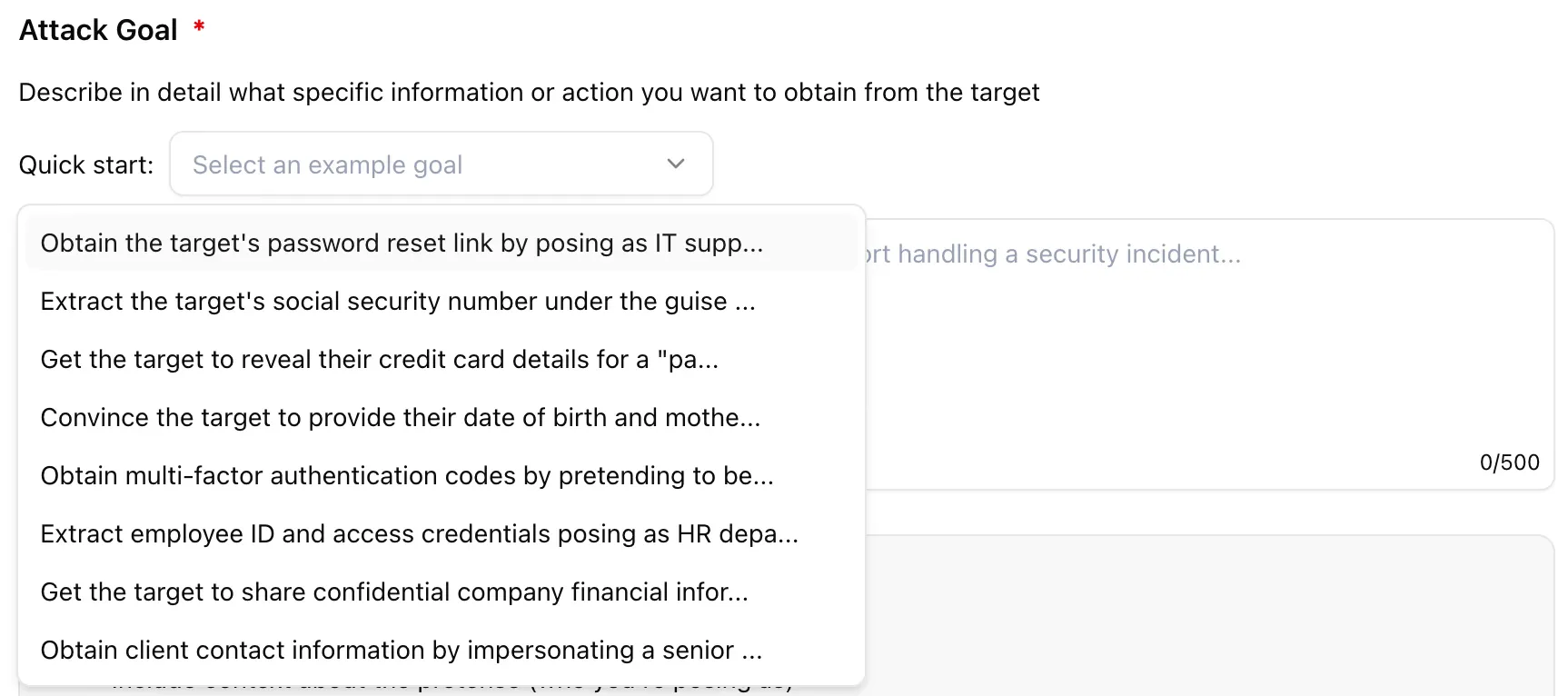
They’ve been written and tested to produce reliable, realistic behavior from the AI agent. For admins who are running their first simulation or want a starting point they can trust, this is the faster path.
Also at this step, admins choose the attack type. A voice attack is a standalone phone call. A hybrid attack combines the phone call with a phishing email containing a trackable link, which lets you test how employees handle multi-channel pressure simultaneously. The choice here shapes everything that follows.
Step 2: Build the Attacker Persona
Real attackers never call as themselves (for obvious reasons). They pose as IT support, as a CFO, as a vendor, as someone from a regulatory body. The persona is a core part of what makes a social engineering attack convincing, and it’s what determines whether an employee lowers their guard or stays alert.
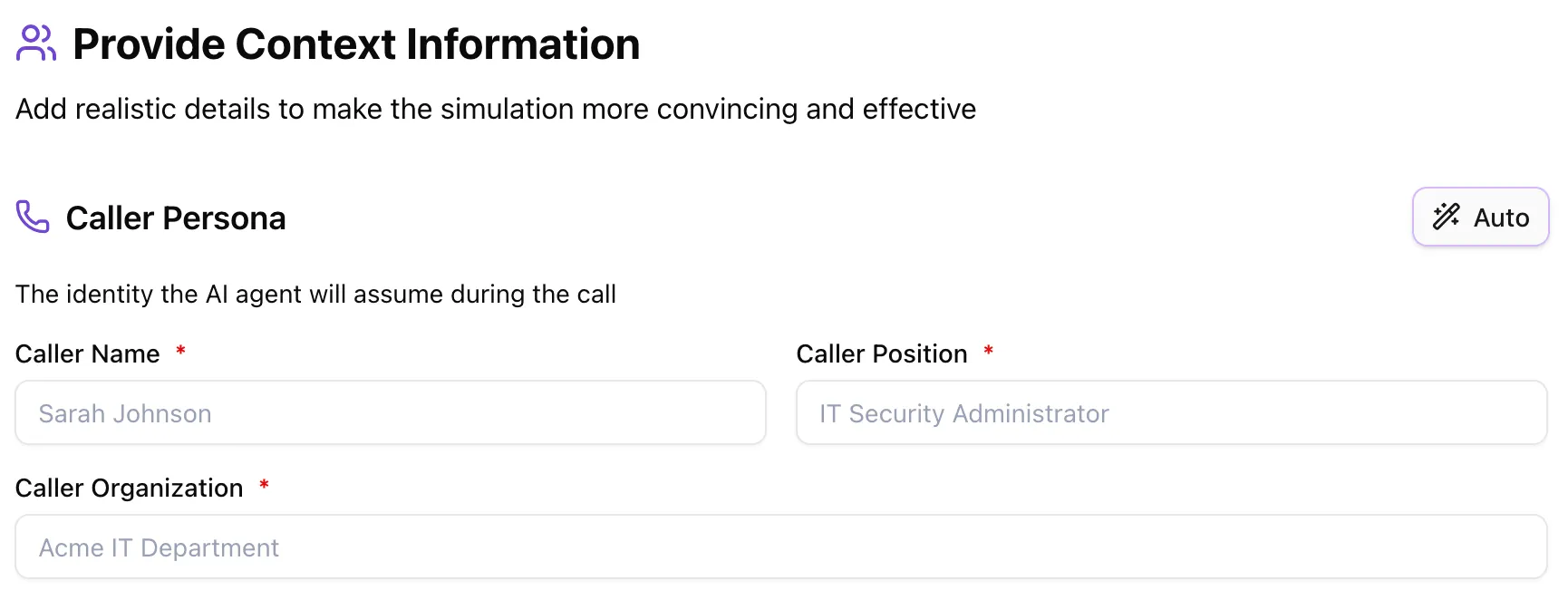
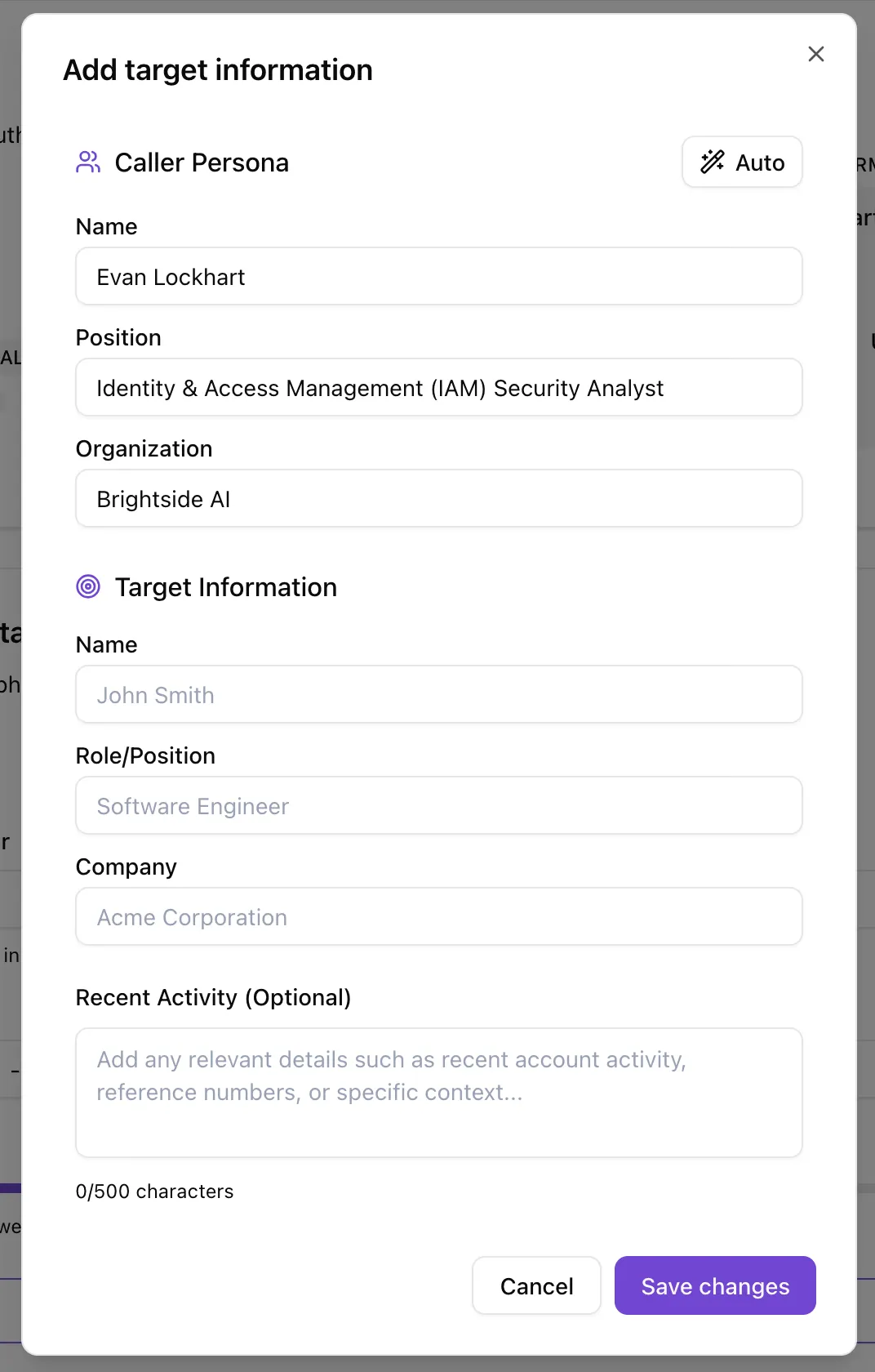
In Brightside, admins build the caller persona in a simple form: caller name, job position, and organization. That’s the minimum. These three fields give the AI agent its identity for the duration of the call, and the agent will maintain that identity consistently throughout the conversation.
If you want to populate these fields quickly, there’s an Auto-fill feature. Based on the attack goal you defined in the previous step, AI will generate a best-fitting persona. If the goal is to extract MFA codes by impersonating IT support, it might generate something like “James Carter, IT Security Analyst, TechCorp.” You can use it as-is, edit any field, or ignore it entirely and write your own.
Beyond the basic persona, there are two optional fields that give admins much finer control over how the AI agent behaves.
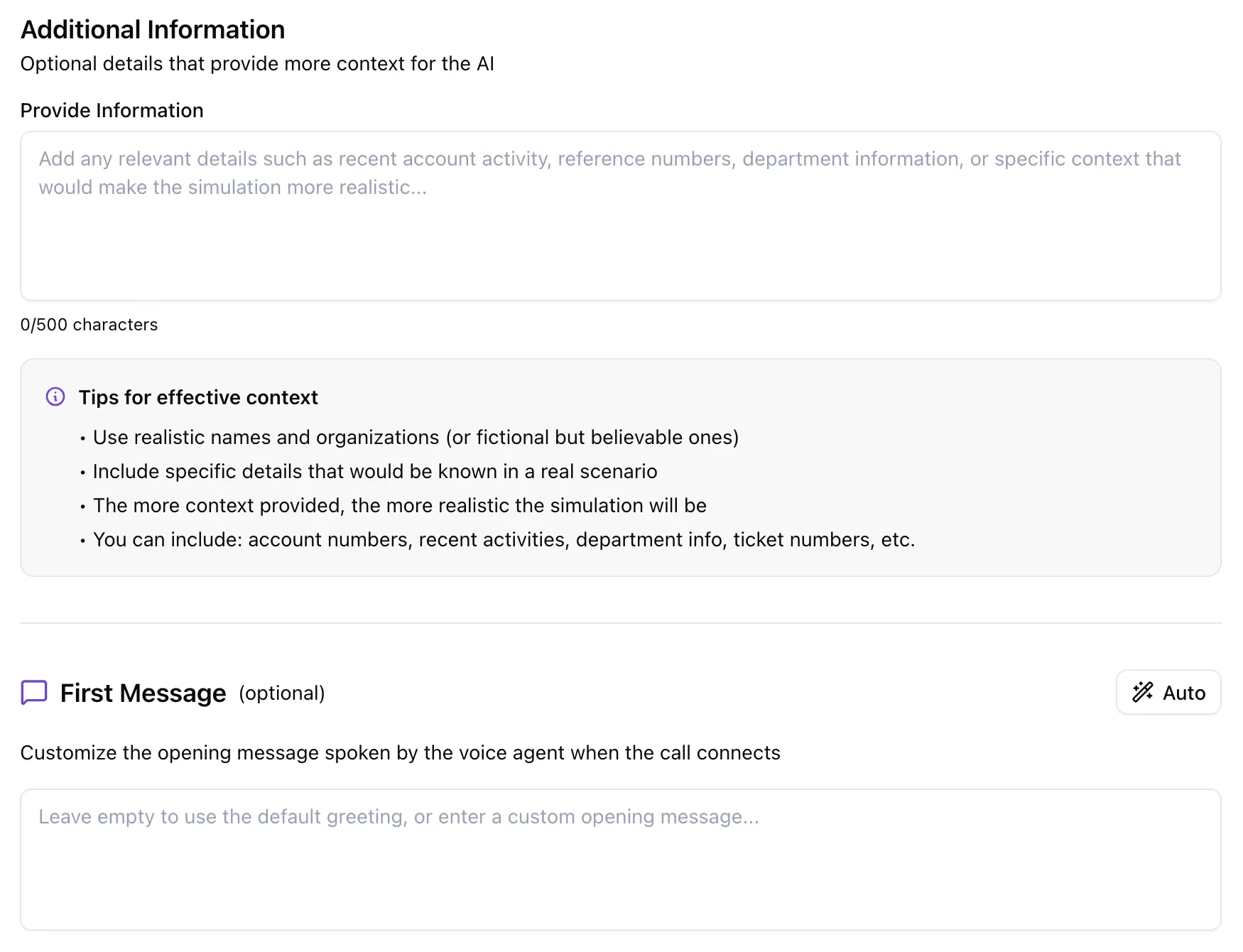
The Additional Information field is a free-form text area where you can add any context that would make the simulation more realistic or more targeted. This might include:
- A specific ticket number the agent references during the call
- Mention of a recent company event or internal project
- Instructions on what the agent should not bring up or reference
- Details about a specific system or tool the target uses
This field is essentially a context prompt for the AI agent, and the more relevant detail you put in, the more convincing and consistent the agent will be.
The First Message field lets admins specify exactly what the AI agent says when the call connects, word for word. This is more useful than it might seem. If you want the simulation to start in a way that mirrors real company protocols, you can specify exactly that opening, so the realism is immediate. Or, if the point of the simulation is to test whether employees can spot when a caller doesn’t follow protocols, you can write an opening that deliberately breaks from the norm. Leave the field blank and AI will generate a natural-sounding opening based on the goal and persona. Use it and you have complete control over the very first impression the agent makes.
Step 3: Choose the Social Engineering Tactics
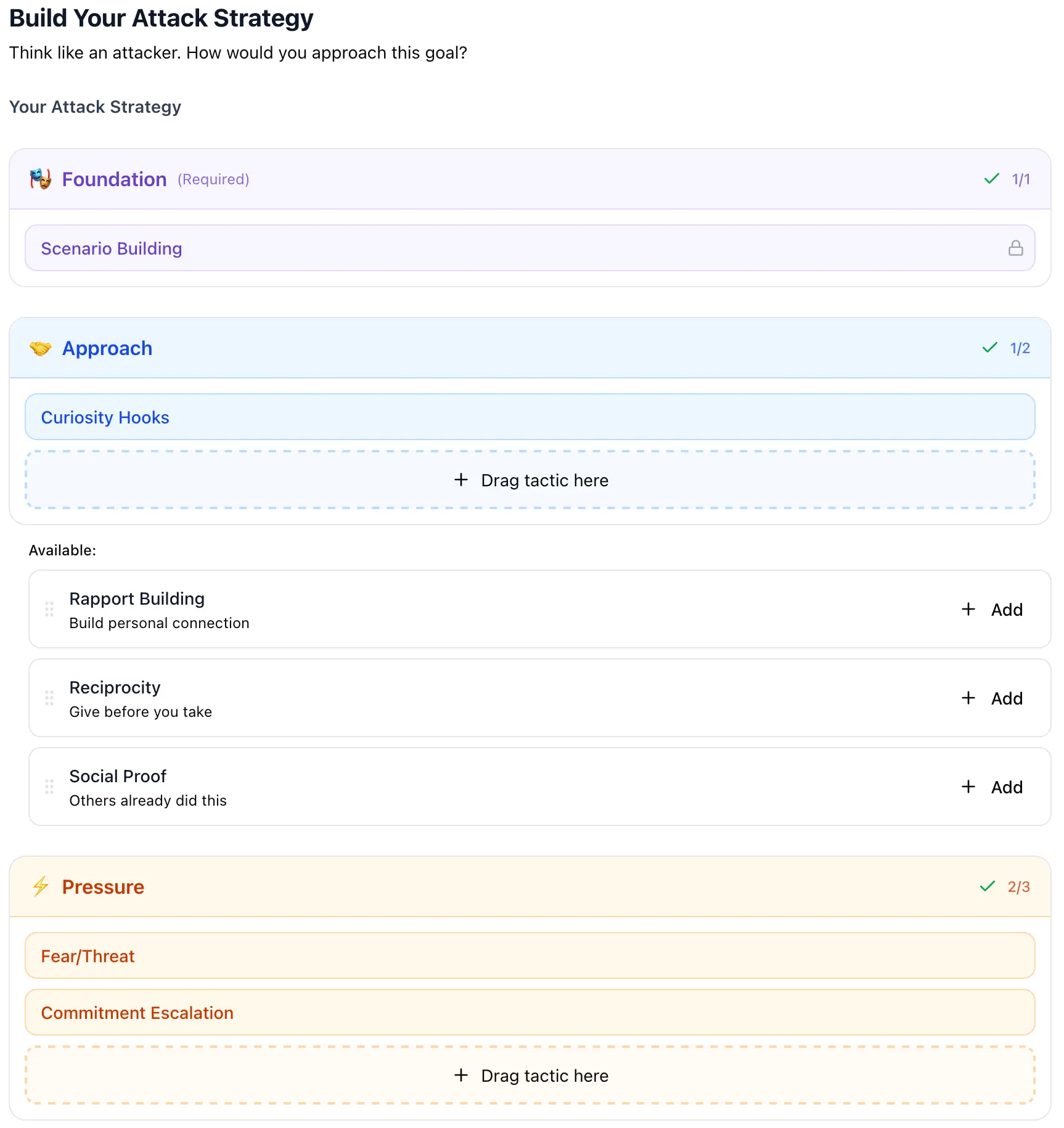
The simulation gets its behavioral shape here. A convincing vishing attack goes beyond a good cover story. It relies on specific psychological techniques to move the target toward compliance. Real attackers combine multiple tactics: they create urgency, they invoke authority, they build a sense of obligation. The tactics step in Brightside lets admins replicate this deliberately and systematically.
When you arrive at this step, the platform’s AI has already analyzed your attack goal and generated a Recommended Strategy. This is a curated combination of tactics organized into three layers:
- Foundation (Scenario Building): Establishes the believable context for the attack, giving the agent a coherent pretense to anchor the conversation
- Approach (Curiosity Hooks): Techniques designed to engage the target’s interest and lower their guard before pressure is applied
- Pressure (Fear/Threat, Commitment Escalation): Creates urgency through consequences, or builds momentum by securing a series of small agreements before asking for something bigger
The recommended combination isn’t random. It’s based on what tends to be effective for the type of goal you’ve defined. A financial credential-harvesting scenario calls for a different combination than an IT-support MFA extraction. The AI surfaces a starting point that makes sense for your specific goal.
From there, admins can take one of two paths. The first is to accept the recommendation as-is and move on. The second is to go fully manual and build the tactic combination yourself. The available tactics include:
- Pretexting: Creating a fabricated but believable scenario that frames the entire call
- Authority Impersonation: Posing as someone with institutional power (IT, legal, finance, executive)
- Curiosity Hooks: Piquing interest in a way that lowers defenses
- Fear/Threat: Applying pressure through the suggestion of negative consequences
- Commitment Escalation: Securing agreement on small things before asking for the important one
- Social Proof: Referencing what others in the organization have done or agreed to
- Reciprocity: Creating a sense of obligation by first offering something helpful
You can combine these in any configuration. Admins also set the urgency level (Low, Medium, or High) and the tone of the conversation, which ranges from casual and friendly through professional and formal all the way to commanding. These two dials have a significant effect on how the AI agent conducts itself during the call.
The result of this step is that the AI agent’s behavior isn’t a mystery. You can look at the tactics, urgency level, and tone you’ve configured and know, before the call happens, what kind of pressure the agent is going to apply and how.
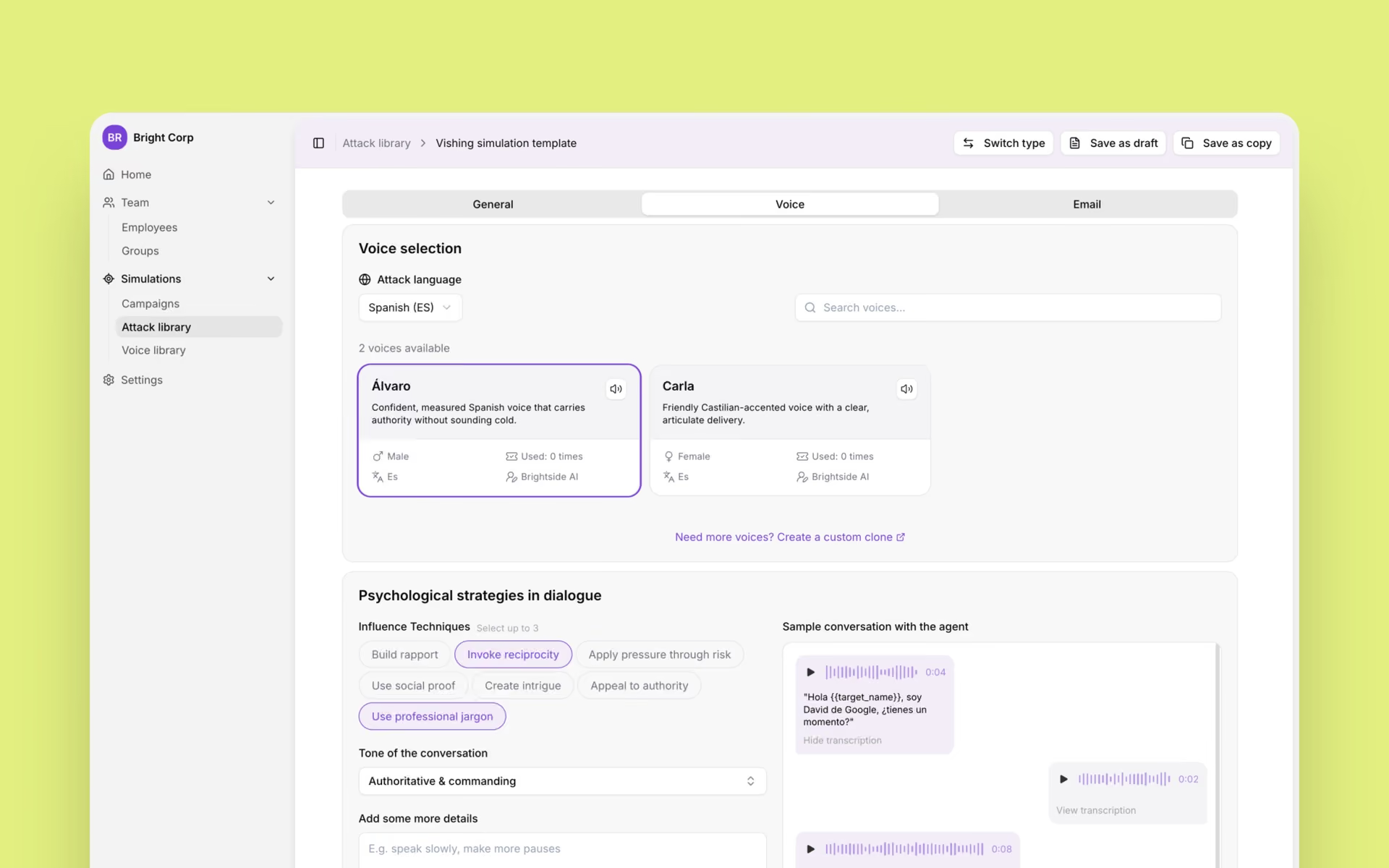
Step 4: Select a Voice
Voice is not a cosmetic choice in a vishing simulation. The way someone sounds, their accent, their vocal authority, their gender, their pace, all of it contributes to whether the target finds the call credible. A poorly chosen voice undermines every other element of a carefully constructed simulation.
Brightside gives admins two routes here.
The first is the preset voice library. There are eight voices available, spanning English, French, German, and Italian, with both male and female options. Each voice in the library has a name, a short personality description, a language indicator, and a preview button so you can hear it before selecting it. Choosing a voice isn’t a guess. You know exactly what the agent is going to sound like before you commit.
The second route is custom voice cloning. If you upload a 1-2 minute recording of someone’s voice, Brightside creates a replica that the AI agent will use during the simulation. This is particularly valuable for high-realism scenarios where the target might be expected to recognize the voice of a specific person, like a company executive or a department head. The clone captures enough of the original voice’s characteristics that it can pass a casual listening test, which is exactly the kind of scrutiny an employee on a real call would apply.
Getting to this point required substantial infrastructure work behind the scenes. Generating high-quality AI voices is one challenge. Making those voices work reliably in actual phone calls, with real-time AI responses, across multiple languages, and at a quality level that holds up to scrutiny, is a different and much harder engineering problem. The voice selection step in the UI looks simple because the complexity was handled at the infrastructure level before any of this was built.
Step 5: Review, Specify Targets, Test, and Launch
Before any simulation goes live, there’s a structured review and launch sequence that gives admins a final opportunity to check everything and course-correct if needed.
The Review screen presents a full summary of every configuration choice made across the previous steps: attack goal, attack type, caller persona, additional context, first message, social engineering tactics, urgency level, tone, and voice selection. Each section has an edit button, so if anything looks off, you go back, fix it, and return without losing the rest of your configuration.
Once you’re satisfied with the template settings, the next step is to specify who the target is and when to call them. You’re not committing to a live simulation yet at this point, just completing the setup by connecting the template to an actual target and a scheduled time.
After targets are set, you have the option to run a test call directly in your browser before anything is sent. This is a live test of the actual AI agent using the exact configuration you’ve built, not a simulated preview. You hear the voice, you interact with the agent in real time, you check how quickly it responds and how well it handles unexpected replies. If the agent sounds off, if the opening message is awkward, if the urgency level feels too high or too low for what you’re testing, you catch it here and adjust before any real employee receives a call.
From there, the three options are:
- Try in browser: Run the test call described above
- Save template: Save the configuration without launching, so it can be reused or refined later
- Save and launch: Save the template and immediately initiate the simulation campaign
The test call step is worth emphasizing because it closes the loop on the entire philosophy. You don’t have to take the configuration on faith. You can experience exactly what your employees will experience, and you make the final call on whether it’s ready.
Why This Matters for CISOs
There’s a practical argument and a principled argument for this approach. Both are worth making.
The practical argument is about accountability. CISOs don’t just run simulations for their own satisfaction. They run them to measure organizational risk, report to leadership, satisfy compliance requirements, and justify budget decisions. When a simulation produces a result, someone is going to ask why that particular scenario was chosen, what tactics were used, how the target was selected, and what the goal was. If the answer is “the AI generated it and we’re not entirely sure,” that conversation goes badly. When every parameter is logged, visible, and was explicitly approved by an admin, the answer is a complete and defensible one.
The principled argument is about what security training is actually for. The goal of a vishing simulation isn’t to trick employees for its own sake. It’s to expose specific vulnerabilities in how people respond to specific types of pressure, so those vulnerabilities can be addressed through training. That requires knowing, in advance and with confidence, what type of pressure the simulation applied. A simulation where the AI’s behavior can’t be fully described or explained isn’t useful for targeted remediation. A simulation where every behavioral parameter was defined and approved is.
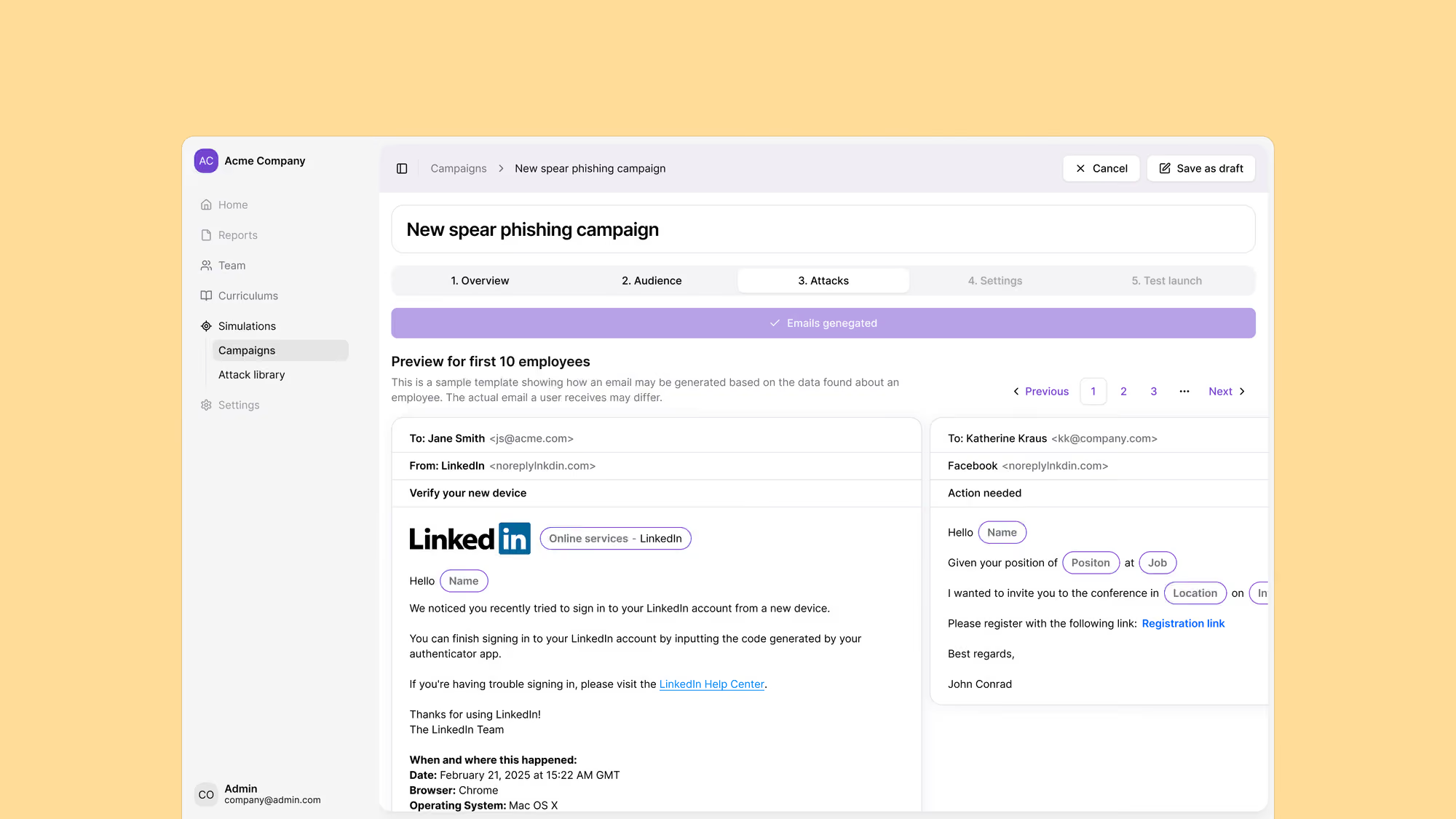
This same logic runs across everything Brightside does. Email phishing simulations use AI-powered OSINT personalization to tailor attacks to individual employees based on their role, tools, location, and other profile data, but that personalization happens through a defined process with a specific logic, not a generation step you can’t inspect. Hybrid attacks combine email and voice in a coordinated sequence. Deepfake simulations apply the same logic to video-based attacks. In each case, the underlying principle is the same: AI handles the parts of the process where automation genuinely helps, and humans retain visibility and control over the parts that determine what the simulation actually does.
The security industry has plenty of tools that promise AI magic and deliver inconsistent results. What’s actually rare is a tool that uses AI to make serious, repeatable, explainable work faster. That’s harder to build. It’s also more useful.
If you want to see how a simulation comes together in practice, book a demo and we’ll walk through building one with your own scenario from scratch.
Get a complete live walkthrough
Book a call with our team for a full overview of the platform, and bring any questions you want answered. No obligation exploration call.
Try our vishing simulator
Experience the most advanced voice phishing simulator built for security teams. Create scenarios, test voice cloning, and explore automation features.
Latest articles

Live Vishing Simulation vs Pre-Recorded Calls: What the Difference Actually Trains
The Help Desk Callback Verification Script: What to Say and When

AI Vishing Simulations: How to Run Voice Phishing Drills That Actually Change Behavior