How Email Security Works, Layer by Layer: Authentication, Encryption, Detection, and People
Understand how email security works in 2026, from SPF, DKIM, and DMARC to email encryption, AI-powered detection, and the human layer where most attacks succeed.
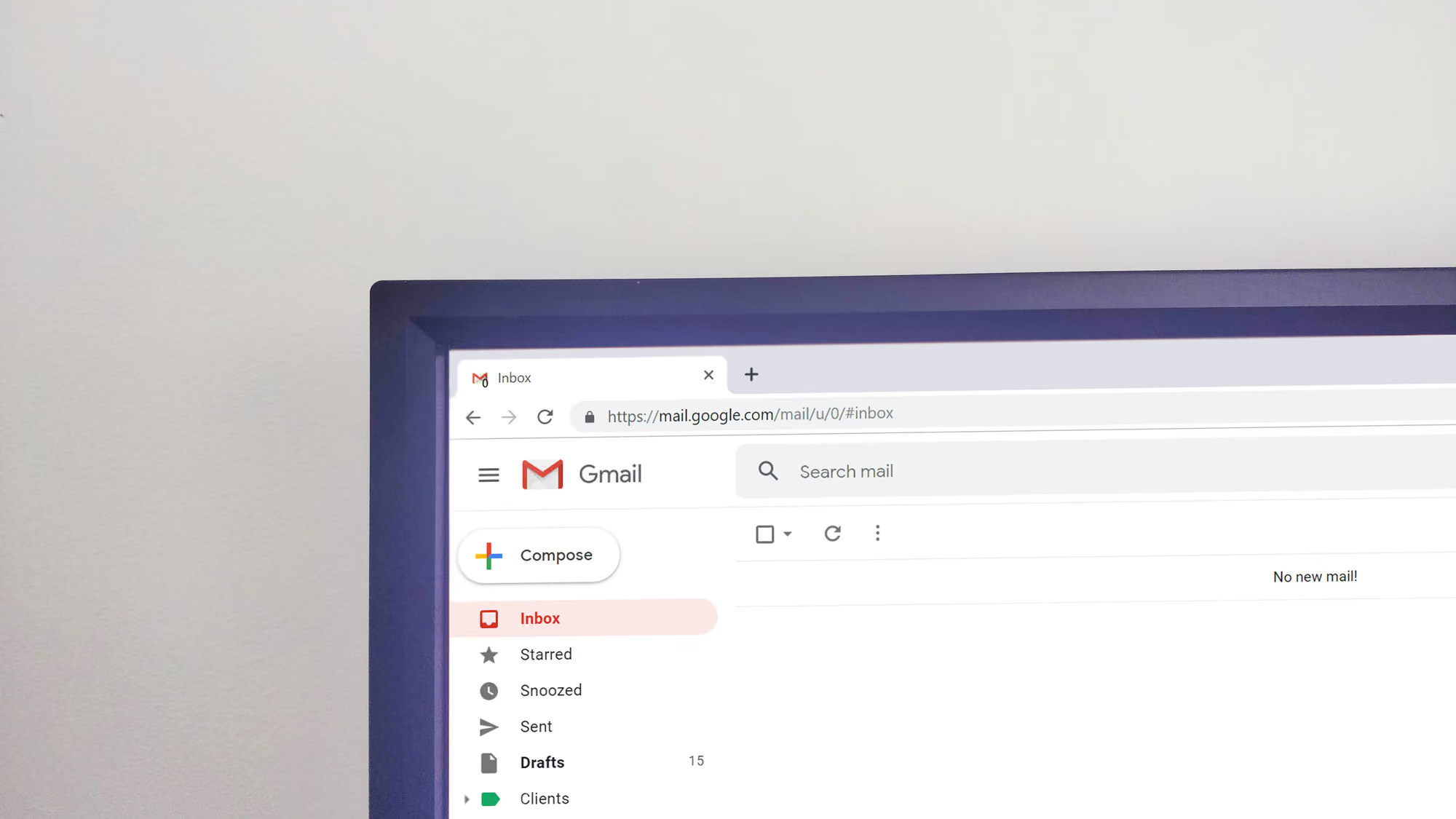
Decades after the first spam filter, email is still the front door attackers knock on first. It is cheap to send, it reaches a human directly, and it carries the links, attachments, and requests that turn into breaches. Verizon’s Data Breach Investigations Report continues to find a human element in the majority of breaches, and Microsoft’s threat intelligence team reported blocking billions of email-based phishing threats in a single quarter of 2026. The inbox is not a solved problem. It is the most contested surface in security.
Email security is best understood not as a single product you switch on but as a stack of four layers, each of which fixes something the layer below it cannot. Authentication proves who sent a message. Encryption protects what the message contains. AI-powered detection catches malicious mail that authenticates and encrypts perfectly well. Human risk reduction handles the attacks engineered specifically to beat the machines. Attackers rarely take this stack on head-on. They look for the weakest layer and route around everything else, and the weakest layer is almost always the person reading the email.
This guide walks the stack from the bottom up, explaining what each layer does, where it fails, and why you need all four.
Email was never built to be secure
To understand the defenses, start with the original flaw. The protocol that moves email between servers, SMTP, was designed in an era when the network was small and everyone on it was assumed to be trustworthy. It has no built-in way to verify that a sender is who they claim to be, and no built-in way to keep a message private. By default, any server can send a message claiming to be from any domain, and that message travels in plain text unless something else intervenes.
Every control in this article exists to patch one of those two original omissions: no identity, and no confidentiality. Authentication and its relatives address identity. Encryption addresses confidentiality. Detection and human training address the fact that even a properly authenticated, properly encrypted message can still be a well-crafted lie. Seeing the stack this way makes each layer easier to reason about, because each one answers a specific question the protocol left open.
Layer 1: Authentication proves who really sent the message
Email authentication is the set of standards that let a receiving server check whether a message genuinely came from the domain it claims. Three protocols do the core work, and they build on each other.
- SPF (Sender Policy Framework) answers “is this server allowed to send for this domain?” The domain owner publishes a DNS record listing the servers authorized to send its mail. A receiving server looks up that record and checks whether the sending IP address is on the list. Mail from an unlisted server fails the check. SPF is defined in RFC 7208.
- DKIM (DomainKeys Identified Mail) answers “was this message actually signed by the domain, and was it altered in transit?” The sending server attaches a cryptographic signature to each message, and the receiver verifies it using a public key published in DNS. A valid signature confirms both the signing domain and that the body was not tampered with along the way. DKIM is defined in RFC 6376.
- DMARC (Domain-based Message Authentication, Reporting and Conformance) is the enforcement and reporting layer that ties the first two together. It tells receiving servers what to do when SPF or DKIM fail:
none(monitor only),quarantine(send to spam), orreject(block outright). It also generates aggregate reports so domain owners can see who is sending mail in their name.
Two extensions sit on top. BIMI (Brand Indicators for Message Identification) lets a verified organization display its logo next to authenticated messages in supported inboxes, but only once DMARC is set to quarantine or reject and, in most implementations, a Verified Mark Certificate is in place. It is the visible payoff of getting authentication right. ARC (Authenticated Received Chain) solves a narrower problem: standard DKIM signatures often break when a message is forwarded through a mailing list, because the intermediary modifies headers. ARC preserves the original authentication results as the message passes through trusted intermediaries, so a legitimate forward is not misread as a forgery.
Authentication is no longer optional
The reason this matters more now than five years ago is a wave of provider mandates. Google and Yahoo began requiring SPF, DKIM, and DMARC for bulk senders in early 2024, defining bulk roughly as more than 5,000 messages a day and pairing the rules with a spam-rate threshold around 0.3 percent. Microsoft extended similar enforcement to Outlook, Hotmail, and Live accounts in 2025. Check the current sender guidelines from each provider before you rely on a specific date or threshold, because these requirements keep tightening. The direction is settled: authentication has moved from a hardening option to a baseline delivery requirement. Mail that fails now risks the spam folder or outright rejection regardless of its content.
The limit of this layer is significant. Authentication proves a message came from a domain, not that the message is safe. An attacker who registers a brand-new lookalike domain can pass SPF, DKIM, and DMARC perfectly, because they are legitimately authenticated as the owner of that malicious domain. Authentication closes the door on spoofing your exact domain. It does nothing about the impersonation attack sent from micros0ft-billing.com. For that you need the layers above.
Layer 2: Encryption protects what the message contains
Authentication is about identity. Encryption is about confidentiality: keeping the contents of a message readable only by the people who should read it. Email encryption comes in three forms, each protecting a different part of the message’s life.
TLS (Transport Layer Security) encrypts the connection between two mail servers while a message is in transit. Think of it as an armored tunnel between hops. The weakness is that the message is decrypted at each server it passes through, so it is readable at rest on every relay, and the tunnel is often optional. With “opportunistic TLS,” a sending server that cannot negotiate an encrypted connection will frequently fall back to delivering the message in plain text rather than fail. That silent downgrade is exactly the gap a network attacker wants.
Two standards close it. MTA-STS (Mail Transfer Agent Strict Transport Security, RFC 8461) lets a domain publish a policy declaring that senders must use TLS with a valid certificate, and refuse delivery otherwise. DANE (DNS-Based Authentication of Named Entities) takes a related approach by publishing certificate fingerprints in DNSSEC-signed records. Both turn “encrypt if convenient” into “encrypt or do not deliver.” SMTP TLS Reporting (RFC 8460) adds visibility by having receivers send back reports on TLS failures.
TLS only protects the trip between servers. For content that must stay encrypted even while sitting on a server, you need end-to-end encryption, where only the sender and recipient hold the keys. There are two established standards. S/MIME (RFC 8551) uses certificates issued by a recognized authority and is built into clients like Outlook, which makes it the common choice inside larger enterprises. OpenPGP (RFC 9580) uses a decentralized web-of-trust model where users sign each other’s keys. Both encrypt the body at rest, and both have been available since the 1990s, yet neither reached mainstream adoption. The reasons are consistent: key management is hard, the two ecosystems do not interoperate cleanly, and encryption only works when both sender and recipient participate. The PGP web of trust in particular is widely considered moribund.
Every one of these methods shares a limitation worth stating directly: email headers, including To, From, and Subject, are not encrypted by any of them. Even with a fully encrypted body, the metadata of who is talking to whom, and when, stays visible to anyone with access to the mail flow. No mainstream standard fixes this today. Encryption keeps outsiders from reading the contents of a message, but it does not make a malicious message safe, and it does not hide the pattern of your communications. That job falls to the layer that reads the message itself.
Layer 3: AI-powered detection catches mail that passes every check
A phishing email can be perfectly authenticated and, from the attacker’s side, perfectly encrypted in transit. Detection is the layer that inspects the message and its context to decide whether it is actually hostile.
Traditional filters were signature-based. They matched incoming mail against lists of known-bad domains, file hashes, and spam patterns. That approach is fast and cheap, but it is reactive by design: it blocks threats it has seen before and is blind to anything novel. Machine learning changed the model. Modern detection works across several axes at once:
- Content analysis. Natural language processing evaluates the text for urgency cues, credential-harvesting language, impersonation signals, and other phishing patterns, including fluent text produced by a language model.
- Behavioral analysis. The system learns an organization’s normal communication baseline, who emails whom, about what, in what tone, and flags deviations. A finance request from an executive with no prior relationship to the recipient stands out regardless of how clean the wording is.
- Reputation and metadata. Models weigh sender history, domain age, header anomalies, lookalike-domain similarity, and whether the message aligns with SPF and DKIM.
- Link and attachment analysis. Suspicious URLs are detonated in a sandbox, and attachments are inspected or stripped. Content Disarm and Reconstruction rebuilds files without active code while keeping them usable.
These systems are deployed in two architectures, and the difference is practical. A secure email gateway (SEG) sits inline in the mail flow and inspects every message before it reaches the inbox, which requires pointing your mail routing through it. API-based email security connects directly to Microsoft 365 or Google Workspace through native APIs, without changing mail flow, which lets it scan and remediate after delivery and, crucially, see internal mail. That matters because a compromised internal account sending phishing to colleagues is invisible to a perimeter gateway by design, but visible to an API tool watching the mailbox. Cofense has documented large volumes of malicious mail slipping past gateways, and the market is trending toward API-native and hybrid deployments rather than either alone.
AI is on the attacker’s side too
The same capabilities also power the offense. KnowBe4 reported that a large majority of the phishing emails it analyzed over a recent six-month window showed indicators of AI generation. Research has shown AI-written spear phishing reaching click-through rates comparable to messages crafted by human experts, at a fraction of the cost and effort. Microsoft’s threat intelligence reporting for early 2026 described billions of email threats in a single quarter, the large majority link-based, alongside a sharp rise in QR-code phishing.
The consequence for defenders is that the old advice has expired. “Look for spelling mistakes” and “check for awkward grammar” assumed a human attacker working in a second language. AI-generated phishing is fluent, contextually accurate, and personalized from public data. The tells that trained a generation of employees are mostly gone.
Detection itself has honest limits. Tools built to flag AI-generated text have repeatedly proven unreliable, producing both false positives and false negatives at rates that make them unsafe as a sole control. Aggressive filtering also carries a business cost: a blocked vendor invoice or a quarantined sales inquiry has real revenue consequences, so teams tune detection down, which lets more through. The most honest position, and the one most serious vendors now take, is that AI detection is one layer in defense-in-depth, not a verdict. Some mail will always pass every technical check and land in front of a person, and that person decides the outcome.
Layer 4: Human risk reduction handles what is engineered to beat the machines
When the majority of breaches involve a human element, the useful reading is not that employees are careless but that attackers are deliberate. Adversaries target people precisely because people are the most complex and least predictable part of the system, and because a convincing message that clears authentication, encryption, and detection still has to be judged by a human in a hurry. Reducing human risk is the layer that decides those judgments.
For years the default here was Security Awareness Training (SAT): an annual compliance module with generic examples, completed once and forgotten. The evidence that annual training alone changes behavior is thin, and the field has been moving toward Human Risk Management (HRM), a continuous, data-driven approach. The distinction is operational, not cosmetic. A practical way to think about HRM is a loop of measure, model, and modify: measure real behavior such as clicks, reports, and ignored warnings; model individual and role-based risk from those signals; and modify it with targeted, timely training rather than a once-a-year slideshow.
Phishing simulations are how that loop gets exercised, and in the AI era they have to be redesigned. A simulation built from an obvious, typo-ridden template trains people for a threat that no longer exists. Effective programs now:
- use realistic content that reflects what current attackers actually send, not a caricature of phishing
- run across channels, because a modern attack may combine an email with a phone call or a QR code rather than living in the inbox alone
- focus on recognizing psychological pressure, urgency, and authority cues rather than surface errors
- deliver feedback at the moment of the mistake, when it is most likely to stick
- build the habit of reporting, so a suspicious message becomes a signal to the security team rather than a private guess
Behind all of this sits a technical backstop worth naming. Phishing-resistant multi-factor authentication, meaning FIDO2 security keys and device-bound passkeys, defeats the most common credential-phishing outcome. Because these methods are cryptographically bound to the real site’s origin, a real-time phishing proxy that relays a victim’s login cannot reuse the result. CISA and the U.S. federal zero-trust strategy both push phishing-resistant MFA for exactly this reason. It does not stop someone from being deceived, but it stops a stolen password from becoming a stolen account.
Email security’s hardest problems increasingly extend past email. Business email compromise, one of the most expensive categories of cybercrime according to the FBI’s Internet Crime Complaint Center, now routinely pairs a message with a cloned voice or a deepfake video call. Voice cloning needs only seconds of public audio. The defense there is procedural rather than technical: mandatory out-of-band verification for financial requests, pre-agreed code words for high-stakes instructions, and callbacks to known-good numbers rather than the number a caller provides. Those are human behaviors, and human behaviors are trained.
Train employees to spot AI-generated phishing emails with Brightside AI
Every layer above narrows the funnel, and every layer above has a gap that a well-built message can slip through. What reaches the inbox has, by definition, already beaten authentication, encryption, and detection. The person reading it is the last control, and that control is trainable. Brightside AI is a Swiss cybersecurity awareness platform built for exactly this layer. It does not filter your inbound mail or monitor your employees’ messages. Its job is to build the recognition and reporting habits that the technical stack depends on.
The core of the platform is simulation that reflects how attackers actually work. Brightside runs AI-powered spear-phishing simulations personalized to each employee’s role, tools, and maps every scenario to the NIST Phish Scale so difficulty is measured rather than guessed. Because modern attacks are multi-channel, the simulations are too: email phishing, AI-driven voice phishing, and deepfake scenarios, including hybrid attacks that pair a phone call with a trackable phishing email. When an employee falls for a simulation, follow-up training is triggered automatically at the moment it is most likely to land, and results roll up into per-employee and group risk scores that surface the highest-risk people while keeping individual data aggregated and anonymized.
The platform also closes the loop between practice and real life. The Brightside Report Phishing add-on for Gmail and Google Workspace lets an employee report a suspicious message in one click from the inbox. The reported email is sent over an encrypted channel and classified: a genuine threat reaches the security team within seconds with the original headers intact for investigation, while a reported simulation is credited to the employee as a catch in their training stats. That is reporting muscle made concrete, and it turns a workforce from a soft target into an active sensor. Brightside is the human layer of the stack, complementing the authentication, encryption, and detection controls rather than replacing them.
Where email security is heading
Three shifts are worth watching. Post-quantum cryptography is moving from theory to migration planning, because the algorithms protecting email today will eventually be breakable, and “harvest now, decrypt later” collection of archived mail is already a concern for anyone with long-lived secrets. On the detection side, defensive models are being tuned specifically to spot the behavioral fingerprints of machine-generated attacks. And the two ends of this stack are starting to converge, as platforms connect real email threat signals to human risk scores so that training responds to what is actually hitting people rather than to a fixed calendar.
The pattern underneath all of it holds steady. Each layer of email security exists because the one beneath it left a gap, and each new attack finds the gap that is cheapest to exploit. Technology keeps narrowing the funnel, trained and alert people catch the messages that make it through, and building that human layer deliberately has stopped being optional.
Get a complete live walkthrough
Book a call with our team for a full overview of the platform, and bring any questions you want answered. No obligation exploration call.
Try our vishing simulator
Experience the most advanced voice phishing simulator built for security teams. Create scenarios, test voice cloning, and explore automation features.
Latest articles
How to Prevent Account Takeover: A Control-by-Control Guide for Security Teams

How to Run Phishing Awareness Training When Your Team Is Fully Remote

Inside the Revolut Breach: The Fake Request That Passed Every Email Check.